
Spoken chat stream
When spoken chat stream is enabled, incoming agent messages grow in the chat transcript as audio plays — roughly one word at a time at playback speed. Visitors still hear the full utterance; the bubble catches up visually instead of appearing all at once.
What it does
The embed client reveals partial text for the active agent utterance, then snaps to the full sentence when speech ends. If the user barges in, the partial bubble freezes at the last revealed words until the agent starts a new reply.
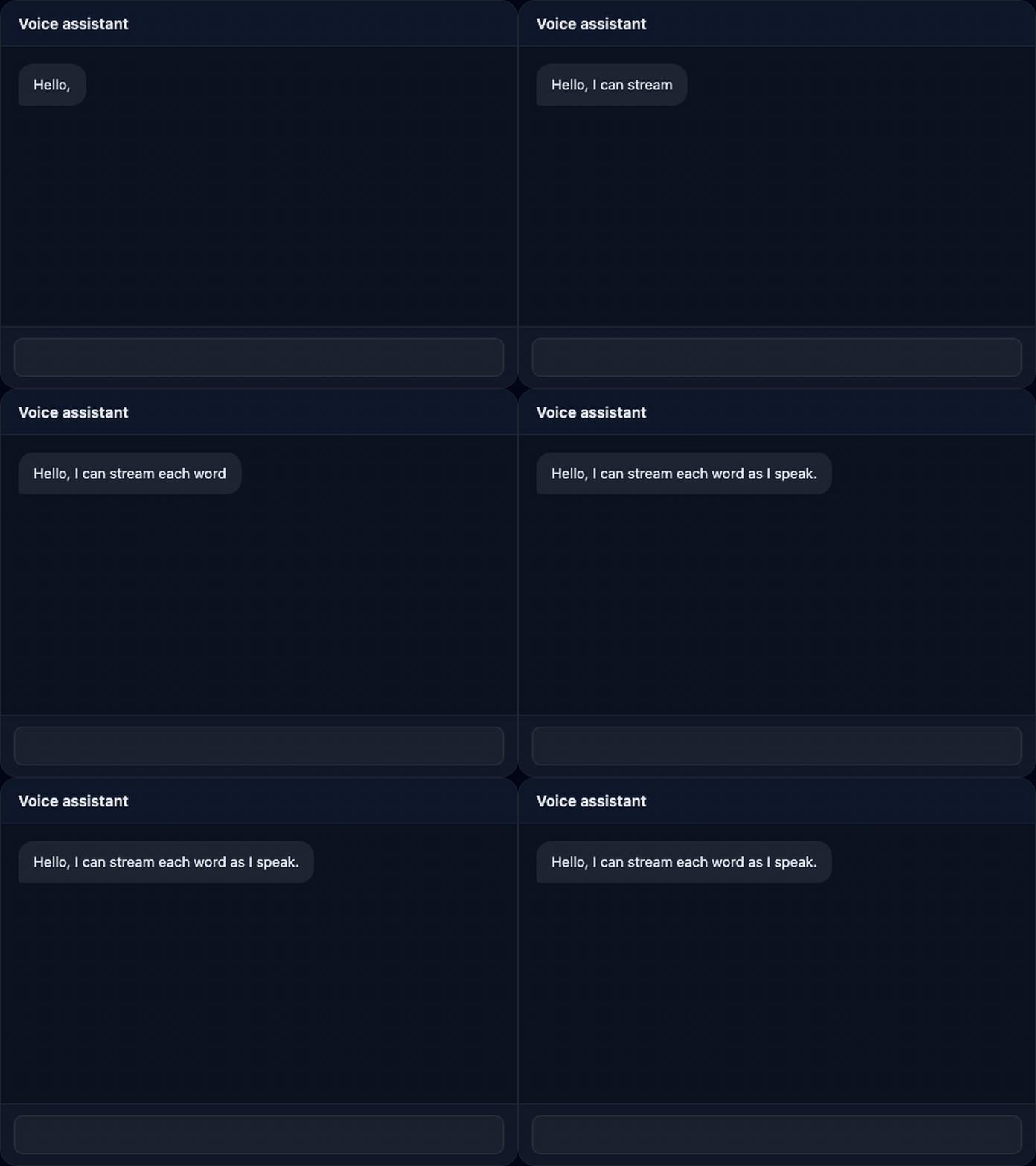
The feature is off by default. Your agent code does not need to change for basic chat_reply plus speak() — when the widget toggle is on, the client streams captions for those paths too.
Enable on the widget
- Dashboard: Project → Widget → check Stream spoken text in chat, save draft, then Deploy so
config.jsonon the CDN includesstreamSpokenText: true. - Embed code: pass
streamSpokenText: truetocreateVoiceThereWidget(or the async helper) when you do not rely on CDN config alone. - Published config: any truthy
streamSpokenTextfield in the widget JSON your page loads viaconfigUrl.
Agent code
For explicit control per utterance, use speakAndChat(sessionId, text, { stream: true }). VoiceThere sends the chat line first, then plays TTS — the client streams the bubble in sync with playback.
import { speakAndChat } from "@voicethere/agent";

speakAndChat(sessionId, "Hello, I can stream each word as I speak.", {
  stream: true,
});
The usual pattern — emit chat_reply and call speak() separately — also streams when the widget setting is enabled.
Barge-in and completion
- While speaking: partial text updates until audio finishes or the user interrupts.
- Barge-in: the bubble stops growing and keeps the last partial text.
- speaking_end: the bubble updates to the full sentence from the chat event.
See also
Styling, deploy, and CDN config are covered in the embed widget designer guide.